Bundle
@happyqu/dsh-plugin-git
Git workbench for deepseek-harness: changelists, staging, history, branches, stashes and optional AI assistance
- Source
- happyqu
- stars
- 1 stars
- License
- MIT
- Updated
- Updated 3 days ago
Readme
# DSH Git 插件 在 DeepSeek Harness(DSH)会话中管理 Git 项目:查看改动、提交代码、同步分支、浏览历史和解决冲突。 支持中文与英文界面,以及深色、浅色主题。 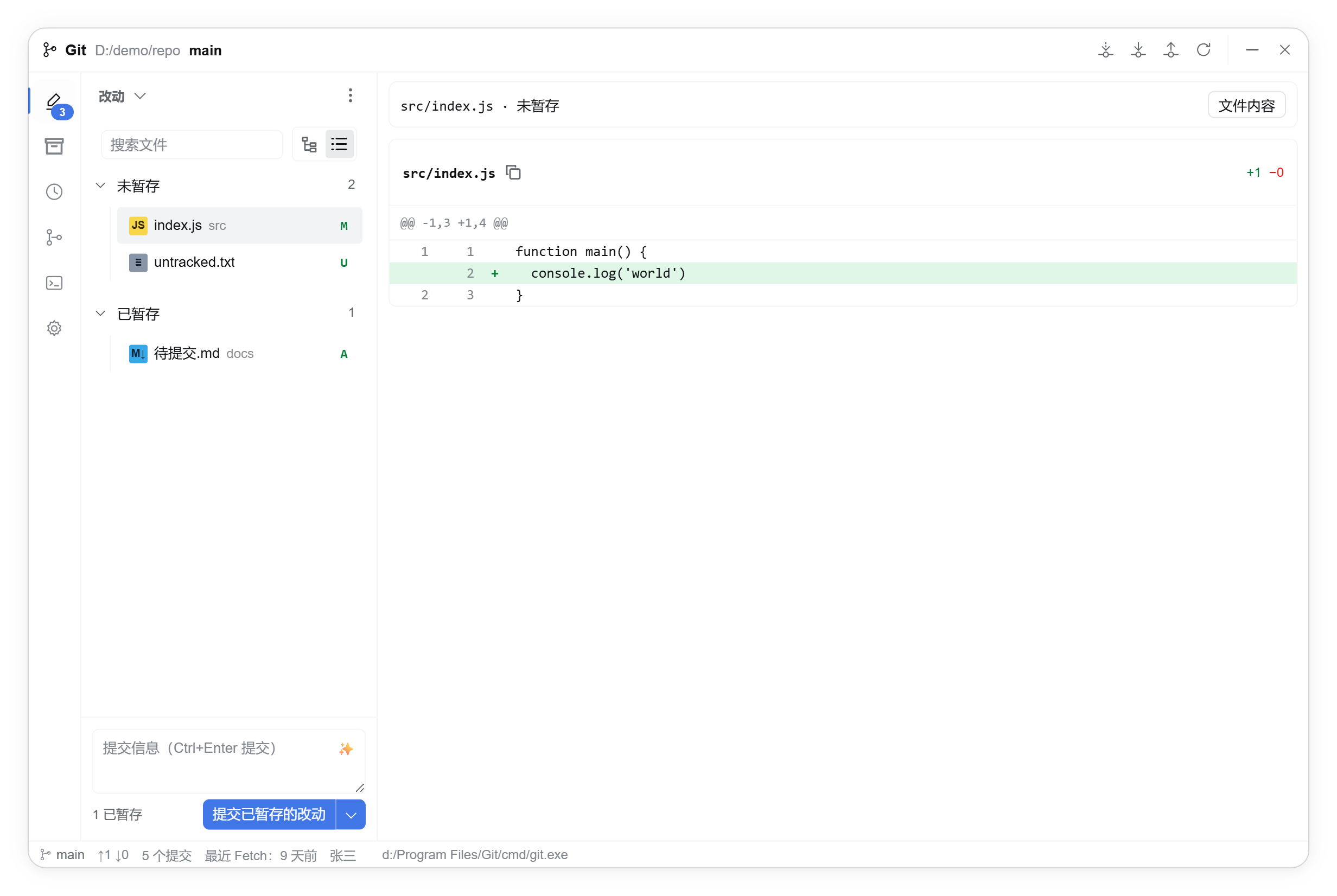 ## 安装 1. 安装 [Git](https://git-scm.com/downloads),确保 `git` 在 PATH 中可用。 2. 在 DSH 的 **插件 → 添加插件** 中输入 `@happyqu/dsh-plugin-git`,安装并启用。 3. 打开项目工作区,点击会话标题栏的 **Git** 按钮进入工作台。 本包需要在 DSH 中使用,无需自行构建。未检测到 Git 时,可在插件设置中指定可执行文件路径。 ## 主要功能 | 功能 | 说明 | | --- | --- | | 项目与工作区 | 新建项目、打开本地目录、克隆仓库;新建或克隆后自动进入对应会话 | | 改动与提交 | 改动列表、暂存、文件或代码块提交、提交范围预览、提交并推送 | | 分支与同步 | 管理分支、标签和远程仓库,执行 Fetch、Pull、Push 与合并 | | 历史与对比 | 提交历史与提交图、版本对比、完整文件与图片预览、历史文件及 ZIP 导出 | | 冲突与储藏 | 对照当前与传入版本、逐块或手动解决冲突、使用 VS Code 合并、管理 stash | | Git LFS | 跟踪规则、内容同步,以及带备份的历史迁入与迁出 | | AI 辅助 | 生成提交信息、解释提交,支持选择模型与思考模式 | 从侧栏或新会话菜单的 **添加工作区** 进入,可选择新建项目、本地目录或克隆仓库。新建项目会记住上次使用的保存目录和文件夹名称。 ## 使用须知 - 提交前需配置 Git 用户名与邮箱;远端认证沿用 Git 凭据管理器或 SSH 配置。 - AI 功能需要 DSH 中可用的模型服务,普通 Git 操作不依赖 AI。 - Git LFS 功能需要另行安装 [Git LFS](https://git-lfs.com/)。 - 连接远程 DSH 时,文件操作、Git 和外部编辑器均运行在远程设备上。 - 更新后若提示功能尚未加载,请重新加载 Git 插件 Host 或重启 DSH;仅刷新页面不会更新 Host。 ## 反馈 源码:[GitHub](https://github.com/happyqu/dsh-plugin-git) · 问题反馈:[Issues](https://github.com/happyqu/dsh-plugin-git/issues) 提交问题时,请附上插件版本、Git 版本、复现步骤和相关错误信息。失败命令可在插件的“输出”中查看。 ## 许可证 MIT
Install
dsh plugin --profile web add github:happyqu/dsh-plugin-git
Profile: web
With the hub plugin installed, ask your agent to install it by name — it resolves the same plan shown here.
dsh plugin --profile web add github:stvlynn/dsh.fish#path:packages/dsh-plugin-hub
install happyqu-dsh-plugin-git from the hub
- This package builds from source on install. pnpm will ask you to allow its build script — that is permission to run the package’s code on your machine, outside the agent sandbox. Only allow sources you trust.
- This source has no pinned commit, so a later push upstream changes what installs. Prefer pinning a commit.