Bundle
dsh-weneed
We Need 模式包装(DeepSeek Harness 插件):把「we need to ...」思维链引导规范(源自 scp3500/oh-we-need,MIT)做成 DSH 原生能力 —— weneed 工具(会话内一键注入)/ /weneed 命令 / WeNeed agent-preset(新会话常驻)
- Source
- Nwflower
- stars
- 5 stars
- License
- MIT
- Updated
- Updated 10 days ago
Readme
# dsh-weneed
[](https://github.com/Nwflower/dsh-weneed/stargazers)
[](https://github.com/Nwflower/dsh-weneed/blob/main/LICENSE)
把 **we need 模式** 包装成 [DeepSeek Harness](https://github.com/sunjiefeng/deepseek-harness) 插件:将「`we need to ...` 句式」的思维链(CoT)引导规范注入 agent 的推理,使其思考变成**可执行、第一人称、任务分型**的风格。
规范正文改编自 [scp3500/oh-we-need](https://github.com/scp3500/oh-we-need)(MIT)——DeepSeek V4 特化思维链引导规范,纯提示词层。本插件把这段规范做成 DSH 原生能力:工具、人类命令、agent-preset 三种落地方式。
## 生态调研结论(2026-08-16 复查,为什么还要做这个)
GitHub 上已有高度相关的项目,但没有 `dsh-weneed` 同名插件:
| 项目 | Stars | 形态 | 与本插件关系 |
|---|---|---|---|
| [scp3500/oh-we-need](https://github.com/scp3500/oh-we-need) | 20 | 纯提示词段(prompt.md,7 条规则),任意 agent 客户端手动粘贴 | **规范本体**,本插件直接采用其正文(MIT) |
| [yjh051108/dsh-routing-suite](https://github.com/yjh051108/dsh-routing-suite)(含 [dsh-router-standard](https://github.com/yjh051108/dsh-router-standard)) | 1857 / 159 | dsh-super-injector + router-standard 预设(spec/react/weak 三模式路由) | 思维模式**路由**,与本插件互补(本插件只做单一 we-need 模式) |
| [xiaobright/dsh-anchored-standard](https://github.com/xiaobright/dsh-anchored-standard) | 2284 | 「We need」轨迹研究(首轮 max_tokens / 技能目录注入触发条件) | 模式触发条件的实证研究 |
| [KaibaiToday/dsh-weneed-preset](https://github.com/KaibaiToday/dsh-weneed-preset) | 0 | **同名 preset,身份框架路线**:standard 工具 + minimal 原生 persona(去掉 agent 身份以触发 We/Let's),5 轮实测 | **直接竞品**:根因(身份框架)路线 vs 本插件提示词注入路线,机制可对撞、可互补 |
| [KDB-Wind/dsh-minimal-anchored](https://github.com/KDB-Wind/dsh-minimal-anchored) | 4 | 极简锚定 preset | 同类 preset 参考 |
| [awesome-dsh-plugin](https://github.com/awesome-dsh-plugin/awesome-dsh-plugin) 各镜像 | 3149 | 插件精选清单 | 清单中**无** weneed / we-need 条目(2026-08-16 复查),收录 PR 窗口开放 |
**定位**:生态里已有「规范文本」(oh-we-need)与「多模式路由」(routing-suite),缺一个把 we-need 模式做成开箱即用 DSH 插件、可一键装配常驻预设的最小实现——即本插件。新出现的 dsh-weneed-preset 走「换身份框架」的根因路线,本插件走「agent 身份 + 7 条规范注入」的提示词路线,二者互补:前者研究身份层,后者研究提示词层,可对撞验证。
## 安装与使用
### 方式 A:运行时注入(开发/试用,免重启)
用 [dsh-super-injector](https://github.com/yjh051108/dsh-super-injector)(`dev_*` 工具)注入本包:
```
dev_inject_plugin {"dir": "D:/Build/dsh-weneed"}
```
注入即生效:`weneed` / `weneed_install` 工具与 `/weneed` 命令立即可用。
### 方式 B:正式装配(重启后常驻)
```
dsh plugin --profile web add -w link:<本仓库路径>
```
或按包发布后 `dsh plugin --profile web add dsh-weneed`(bundle 声明见 `cordis.patch.yml`)。
## 三种落地方式
### 1. `weneed` 工具(会话内一键注入,agent 可用)
agent 调用 `weneed`(默认 `action: on`)→ 规范以 agent 作用域段写入当前会话的 system prompt(后续每轮推理常驻),并返回规范全文。`action: off` 移除,`action: status` 查询。
### 2. `/weneed` 命令(人类一键开关)
| 命令 | 效果 |
|---|---|
| `/weneed` | 注入 we need 段到当前会话 |
| `/weneed off` | 移除该段 |
| `/weneed status` | 查询当前会话状态 |
| `/weneed install` | 装配 WeNeed 常驻预设(见下) |
### 3. WeNeed agent-preset(新会话常驻)
```
/weneed install
```
把 `preset/` 复制到用户预设根(`~/.dsh/.agent-presets/weneed`,幂等)。之后**新会话**在预设选择器里选 **WeNeed 模式**,模式即常驻(persona 段 = 首句锚定 + 7 条完整规范,工具集 = standard 全量,不限制能力)。已开会话不受影响。
**覆盖已有 preset**:本机已装配过旧版 weneed preset(一句话版)时,`install` 默认幂等跳过。要升级为插件的完整版:
```
/weneed install force # 或工具 weneed_install {"force": true}
```
覆盖后**新会话**选择 WeNeed 模式即为完整版;已开会话保持其创建时的组合不变。
## Configuration
| 配置项 | 默认 | 含义 |
|---|---|---|
| `autoEnable` | `false` | `true` 时每个新会话自动注入 we need 段(不换 preset 的全局常驻) |
## 设计说明
- **纯 ESM、零构建、零 DSH import**:沿 `dsh-file-claim` 已验证路径,只消费宿主服务(`tools` / `commands` / `systemPrompt` / `agentPresets`),注入器 junction 链接后无依赖解析风险。
- **注入是 agent 作用域段**(`agent.ctx.systemPrompt.section`):只影响目标会话,`agent/disposed` 自动清理,不污染其他会话。
- **preset = 完整编码 Agent 工具集 + 完整规范 persona**:WeNeed 预设与 `standard` 工具面一致,persona 为「首句锚定(When you think, start with "we need...") + 7 条思维链规范」。
- 规范正文 7 条与 [oh-we-need](https://github.com/scp3500/oh-we-need/blob/main/prompt.md) 保持一致(MIT,见 `spec.mjs` 出处声明)。
## License
MIT。规范正文版权归 scp3500/oh-we-need 原作者(MIT 许可)。
## Star History
[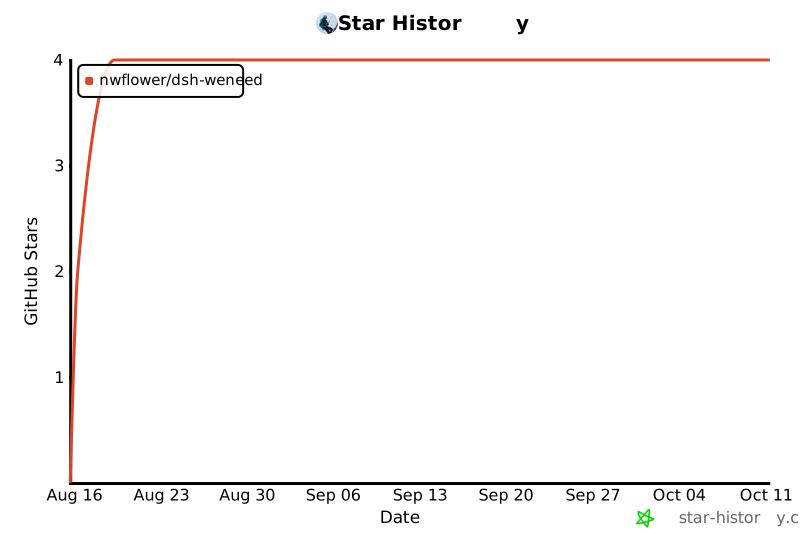](https://star-history.com/#Nwflower/dsh-weneed&Date)
Install
dsh plugin --profile web add github:Nwflower/dsh-weneed
Profile: web
With the hub plugin installed, ask your agent to install it by name — it resolves the same plan shown here.
dsh plugin --profile web add github:stvlynn/dsh.fish#path:packages/dsh-plugin-hub
install dsh-weneed from the hub
- This source has no pinned commit, so a later push upstream changes what installs. Prefer pinning a commit.