Bundle
dsh-claude-style
Claude Code Desktop theme for DeepSeek Harness (dsh) web GUI — visual & interaction overhaul
- Source
- Nwflower
- weekly downloads
- 5.4k weekly downloads
- License
- MIT
- Updated
- Updated yesterday
Readme
<div align="center">
# DSH Claude Style
**为 DeepSeek Harness 复刻 Claude Code Desktop 风格与交互体验的主题插件。**
> **在 DSH 里,就是 Claude Code Desktop 的样子。**
[](README.md) [](README.en.md)
[](https://www.npmjs.com/package/dsh-claude-style)
[](https://www.npmjs.com/package/dsh-claude-style)
[](https://github.com/Nwflower/dsh-claude-style)
[](https://www.dsh.so/artifact/dsh-claude-style/)
[](LICENSE)
</div>
## 预览
本插件提供了两种主题。通过插件设置,可以在 Claude 与 DeepSeek 两套配色之间切换,亮暗跟随系统颜色模式。
### Claude
<table>
<tr>
<td align="center" width="50%"><img src="./docs/screenshots/claude-home-light.png" alt="Claude 档工作台首页 —— 亮色" /></td>
<td align="center" width="50%"><img src="./docs/screenshots/claude-home-dark.png" alt="Claude 档工作台首页 —— 暗色" /></td>
</tr>
<tr>
<td align="center" width="50%"><img src="./docs/screenshots/claude-conversation-light.png" alt="Claude 档 Markdown 对话 —— 亮色" /></td>
<td align="center" width="50%"><img src="./docs/screenshots/claude-conversation-dark.png" alt="Claude 档 Markdown 对话 —— 暗色" /></td>
</tr>
</table>
> Claude品牌主题,原汁原味。工作台首页(上),对话界面(下),浅色(左),深色(右)
### DeepSeek
<table>
<tr>
<td align="center" width="50%"><img src="./docs/screenshots/deepseek-home-light.png" alt="DeepSeek 档工作台首页 —— 亮色" /></td>
<td align="center" width="50%"><img src="./docs/screenshots/deepseek-home-dark.png" alt="DeepSeek 档工作台首页 —— 暗色" /></td>
</tr>
<tr>
<td align="center" width="50%"><img src="./docs/screenshots/deepseek-conversation-light.png" alt="DeepSeek 档 Markdown 对话 —— 亮色" /></td>
<td align="center" width="50%"><img src="./docs/screenshots/deepseek-conversation-dark.png" alt="DeepSeek 档 Markdown 对话 —— 暗色" /></td>
</tr>
</table>
> DeepSeek品牌主题,拥有特色宠物小鲸鱼Deepy。工作台首页(上),对话界面(下),浅色(左),深色(右)
>
> <table>
> <tr>
> <td align="center" width="25%"><img src="./docs/gifs/idle.gif" width="120" alt="空闲" /><br />空闲</td>
> <td align="center" width="25%"><img src="./docs/gifs/thinking.gif" width="120" alt="思考" /><br />思考</td>
> <td align="center" width="25%"><img src="./docs/gifs/typing.gif" width="120" alt="写回答、调用工具" /><br />写回答、调用工具</td>
> <td align="center" width="25%"><img src="./docs/gifs/conducting.gif" width="120" alt="指挥子代理" /><br />指挥子代理</td>
> </tr>
> <tr>
> <td align="center" width="25%"><img src="./docs/gifs/notification.gif" width="120" alt="等你操作" /><br />等你操作</td>
> <td align="center" width="25%"><img src="./docs/gifs/error.gif" width="120" alt="失败" /><br />失败</td>
> <td align="center" width="25%"><img src="./docs/gifs/happy.gif" width="120" alt="完成" /><br />完成</td>
> <td align="center" width="25%"><img src="./docs/gifs/sleeping.gif" width="120" alt="睡着" /><br />睡着</td>
> </tr>
> </table>
## 安装
1. 官方插件页,添加以下插件即可快速安装
```
dsh-claude-style
```
2. 通过终端安装
```bash
dsh plugin --profile web add dsh-claude-style # npm 包(推荐)
```
3. 通过[插件市场](https://github.com/dsh-market/dsh-market)安装
4. 通过dsh-web-all插件的皮肤中心安装
同一时刻建议只启用一个主题。安装后推荐重启 `DeepSeek Harness`以获得完整能力。
## 字体
> **重要:Anthropic 没有对其字体进行公开发行,[`点击此处可以查看`](https://github.com/Nwflower/dsh-claude-style/raw/main/packages/assets/src/fonts),请自行下载,仅供学习或研究用途**。
Anthropic 字体启用(二选一):
① 安装到系统——Windows 双击 `.ttf` → 「安装」,macOS 用「字体册」导入;
② 免安装——把 `.ttf` 复制到 `$DSH_HOME/dsh-claude-style/fonts/`。
## 文档
| 文档 | 说明 |
| --- | --- |
| [设计令牌](docs/STYLE.md) | 调色板、字体、形状,源码结构与宿主选择器纪律(英文) |
| [架构决策](docs/decisions/README.md) | 每条决策一个文件:构建与源码、宿主边界、运行时与各个功能的取舍,以及正在进行的架构迁移 |
| [更新日志](CHANGELOG.md) | 版本历史 |
| [贡献指南](CONTRIBUTING.md) | 如何从 `packages/client/src/` 构建、提交规范与截图/回归工具(英文) |
| [功能一览](docs/FEATURES.md) | 每一项功能做什么、在设置页哪里开关 |
| [设置说明](docs/SETTINGS.md) | 五个分页(通用、外观、输入区、侧栏、对话)的设置项与各档效果 |
## 鸣谢
对话导航的展开列表、快捷键跳转与落点横线参考了 SherUnlocked-4869 的 [dsh-plugin-msg-nav](https://github.com/SherUnlocked-4869/dsh-plugin-msg-nav)(MIT)。
像素小鲸鱼 Deepy 的动画帧图来自 calmly-eating-bugs([@wp3171216237](https://github.com/wp3171216237))绘制的 Deepy 小鲸鱼主题包。
聊天区域内的增强动效修改自 [dsh-chat-ux](https://github.com/alm-allen/dsh-chat-ux)(MIT)。
像素螃蟹(Clawd)是 Anthropic 的角色形象,相关权利归 Anthropic 所有。螃蟹掏出电脑敲代码的动画取自 Claude Code,其余各个状态的动画由本项目按这一形象绘制。螃蟹的帧图不适用 MIT 许可(见 [LICENSE](LICENSE))。本插件是非官方的爱好者作品,与 Anthropic 没有关联,也未获其认可。
## 友链
> 想把 Claude Code / Codex 等外部代理的会话历史导入 DSH 接着聊?推荐作者的另一个插件 [dsh-chat-import](https://github.com/Nwflower/dsh-chat-import)。
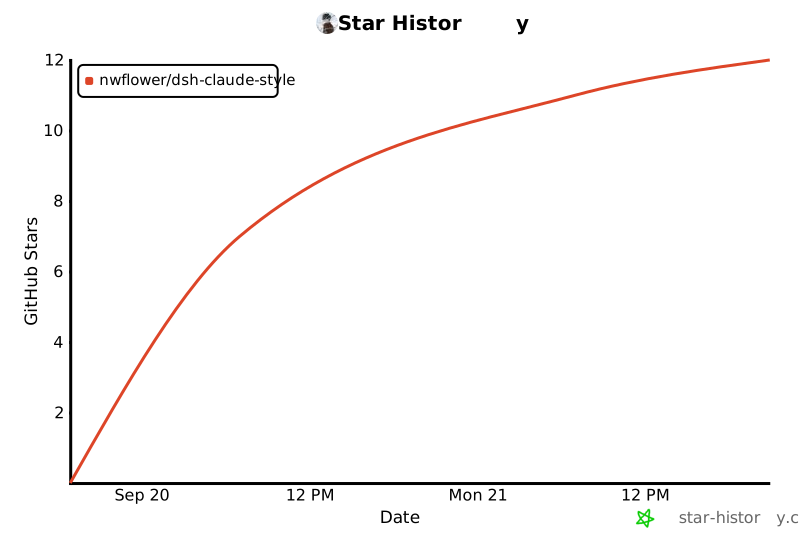
## Star History
[](https://star-history.com/#Nwflower/dsh-claude-style&Date)
Install
dsh plugin --profile web add dsh-claude-style@0.13.3
Profile: web
With the hub plugin installed, ask your agent to install it by name — it resolves the same plan shown here.
dsh plugin --profile web add github:stvlynn/dsh.fish#path:packages/dsh-plugin-hub
install dsh-claude-style from the hub