Bundle
dsh-at
dsh 插件:在输入框中输入 @ 引用文件或目录(bundle + host 路由 + client 触发器源,纯 JS 零构建依赖)
- Source
- KureKaruna
- License
- MIT
- Updated
- Updated 6 days ago
Readme
# dsh-at DeepSeek Harness 插件:在输入框中输入 **`@`** 弹出文件/目录选择菜单,选中后插入纯文本 `@"路径"` 引用。 ## 功能 | 输入 | 效果 | |---|---| | `@` | 列出当前会话工作区根下的文件/目录(目录排前,📁/📄 图标) | | `@src/` | 浏览 `src` 子目录 | | `@src/uti` | 前缀过滤(不区分大小写) | | `@C:/Users/...` 或 `@/home/...` | 浏览绝对路径 | | `@../` | 向上导航 | 目录候选点击后**进入**该目录继续浏览;文件(或按空格/空目录终止的目录)选中后插入**纯文本 `@"路径"`**(文件名加双引号,直接进入消息,不产生引用芯片)。菜单中文件按扩展名识别类型(图片/视频/音频/文档/代码)。每次最多返回 50 条,路径不可读时菜单安静降级为空。 ## 演示 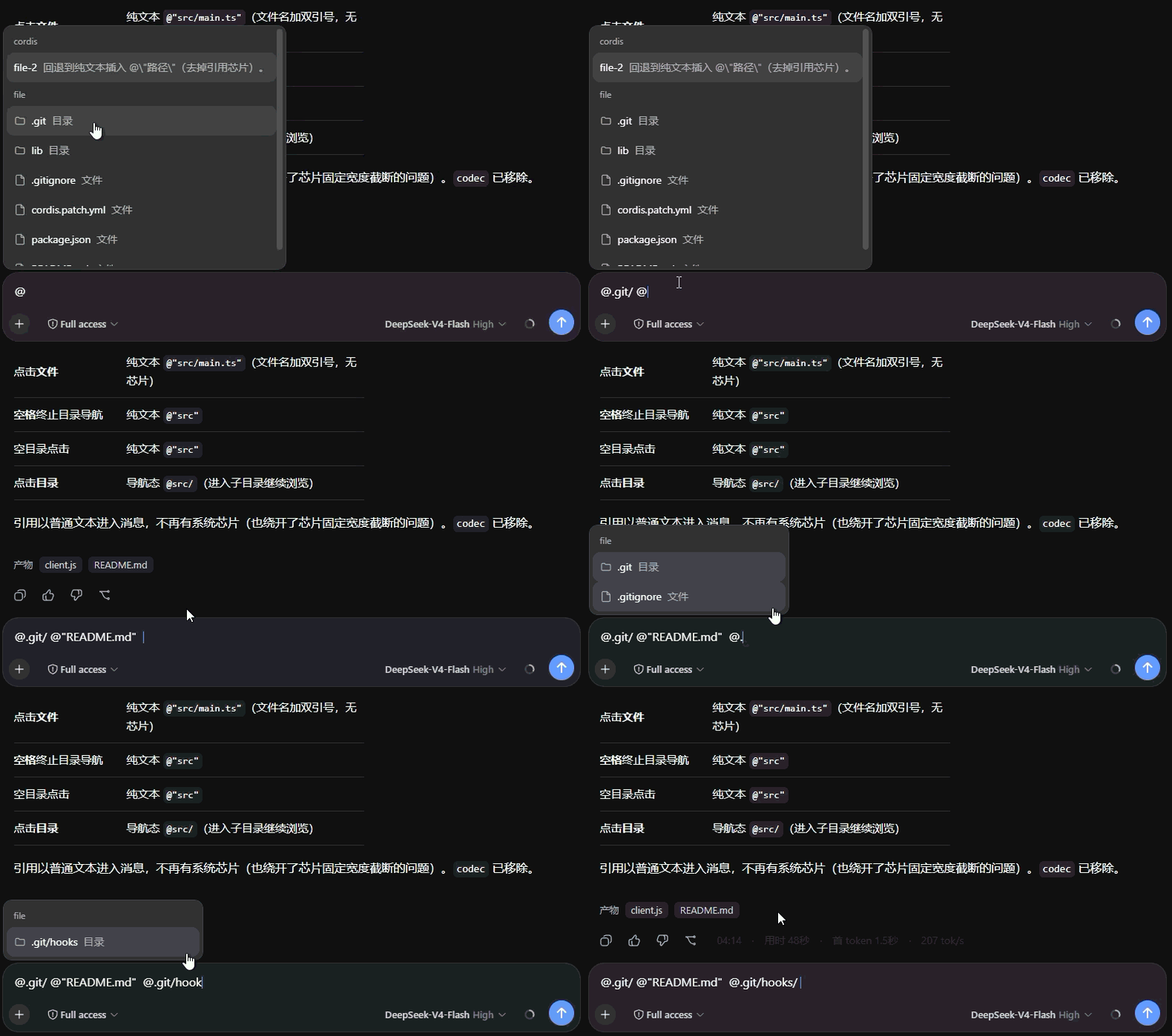 ## 安装 安装到任意 profile(例如 `web`): ```sh dsh plugin --profile web add github:KureKaruna/dsh-at ``` > **注意**:git 安装时 pnpm ≥10 会拒绝运行 git 依赖的 `prepare` 脚本,直到你显式允许。第一次 `add` 失败后,把 pnpm 打印的包键复制进该 profile 的 `pnpm-workspace.yaml`: > ```yaml > allowBuilds: > dsh-at: true > ``` > 然后重新执行 `add`。本包是纯 JS(`prepare` 只是空操作),授权仅用于 pnpm 运行该脚本。若不想授权,可用 tarball 安装:`pnpm pack` 后 `dsh plugin --profile web add ./dsh-at-0.1.0.tgz`。 验证层是否加载(无需启动): ```sh dsh --profile web --dump-config # 输出中应出现 "# == dsh-at" 层 ``` 然后启动 `dsh web`,在输入框敲 `@` 即可使用。 ## 架构 - `lib/index.js` — host 半部:通过 `webServer` 注册 `/dsh-at/list` 路由,用 `fs` 服务列目录(文件 + 目录),以客户端传入的会话 cwd 为解析根。 - `lib/client.js` — client 半部:注册 `@` 触发器源(name: `file`,与内置 `subagent`/`cordis` 源并存),候选列表 `fetch` host 路由获取;选中文件/目录插入纯文本 `@"路径"`。菜单渲染、键盘导航均由系统 `ui-input-trigger` 的 MenuView 承担。 - `cordis.patch.yml` — bundle patch,插入 `dsh-at` 行(该行同时是 host 行与 `dsh.client` 浏览器行)。 纯 JS、零外部依赖,git 安装无需构建。 ## 开发 ```sh dsh plugin --profile dev add ./ # 从本仓库 checkout 本地安装 ``` ## License MIT
Install
dsh plugin --profile web add github:KureKaruna/dsh-at
Profile: web
With the hub plugin installed, ask your agent to install it by name — it resolves the same plan shown here.
dsh plugin --profile web add github:stvlynn/dsh.fish#path:packages/dsh-plugin-hub
install dsh-at from the hub
- This package builds from source on install. pnpm will ask you to allow its build script — that is permission to run the package’s code on your machine, outside the agent sandbox. Only allow sources you trust.
- This source has no pinned commit, so a later push upstream changes what installs. Prefer pinning a commit.